 OpLine Pulse
Coming soon
OpLine Pulse
Coming soon
The network, around the clock
See what is busy on AllStar, now and over time. The app itself stays a one-time purchase.
Why Pulse exists
AllStarLink's public keyed list only catches a node at the moment it happens to be transmitting. Hubs never show up there, even in the middle of a busy net with sixty stations linked. So the busiest places on the network look silent.
Pulse runs a server that checks the busiest hubs every few minutes, reads how long each one has been transmitting, and keeps the answer. It rates the last 15 minutes as High, Medium or Low chatter, so you know where people are before you connect.
What's in Pulse
Map
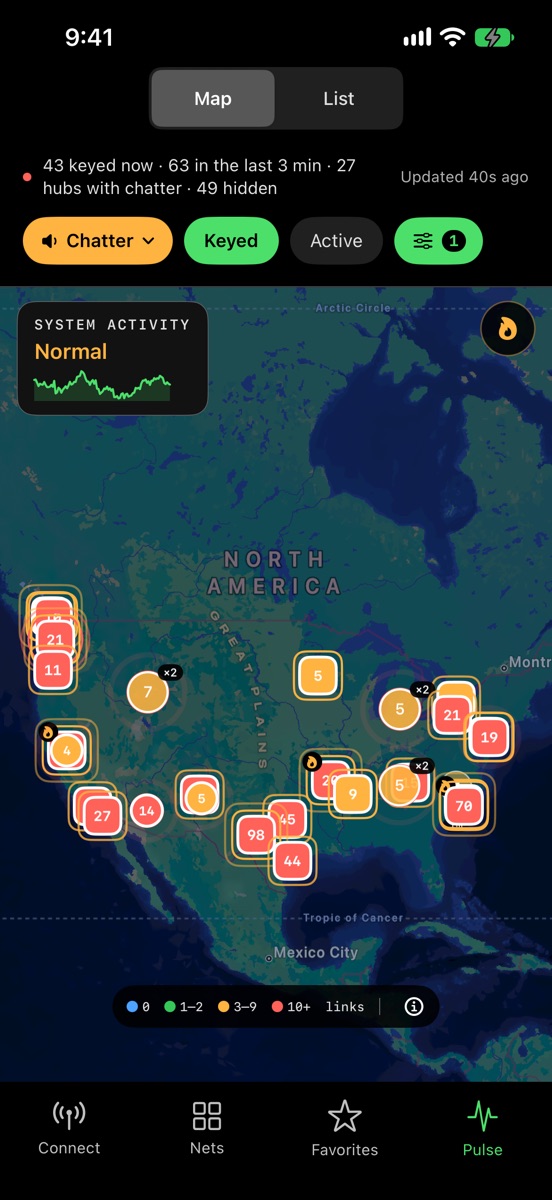
Every keyed node and busy hub on a map.
Hubs are never folded into a cluster, and each one shows how fresh its numbers are. Tap one for its chatter, airtime and links, then connect or see its history.
Hub chatter
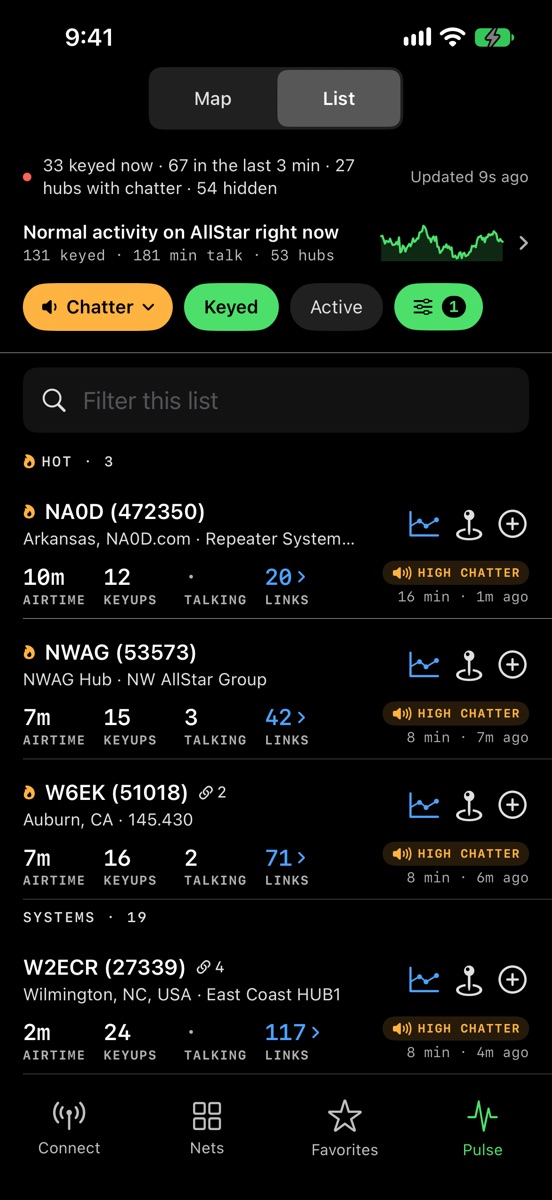
Which hubs are talking right now.
The hubs and net systems with traffic right now, ranked by real talk time, with airtime, keyups and links for each. Linked hubs like HUB1, HUB2 and HUB3 count as one system.
Alerts
A push when a node you follow wakes up.
Follow a node and Pulse sends one alert when it comes on the air after twenty quiet minutes, even with the app closed. Alerts hold overnight instead of waking you.
- 20 min
- quiet before a node counts as waking up
- 1 alert
- each time it comes on the air
- 10 pm to 7 am
- never sent, your local time
Network history
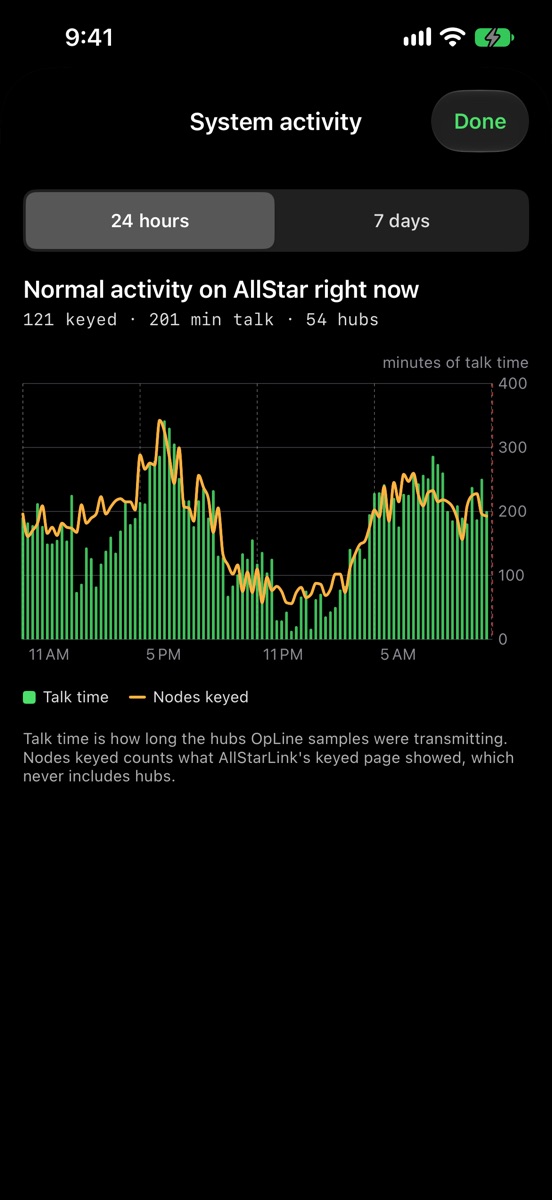
How busy AllStar was over the last day or week.
Talk time and keyed nodes across the whole network, so you can tell whether right now is busy compared with the rest of the day or the week.
History
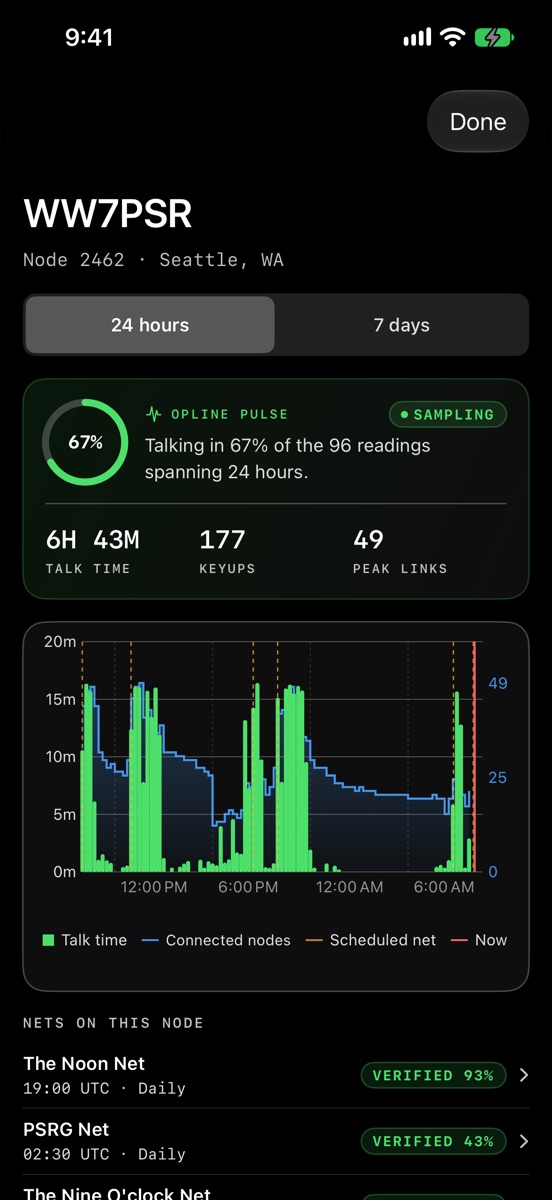
Talk time on the hubs people follow, with their nets marked.
Talk time, keyups and links for a node over the last day or week, with a ring for the share of the day somebody was talking. Dashed lines mark its scheduled nets, and the nets on that node are listed under the chart, each opening its own Pulse detail.
Verified nets
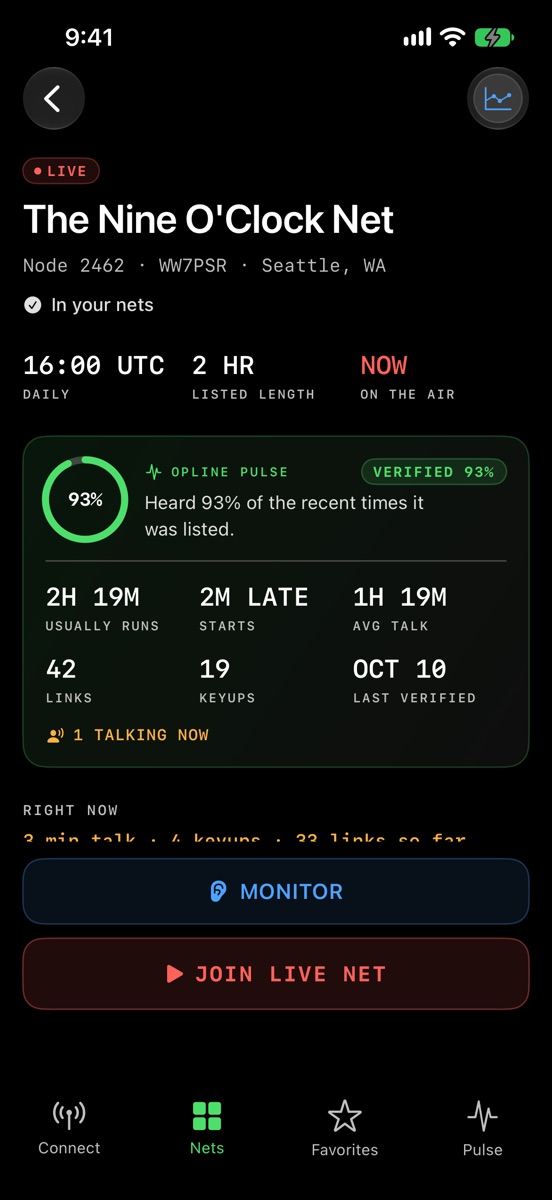
Nets that really run, and when they start.
Every net OpLine knows about, checked against what the network actually did: how often it was heard at its listed time, how late it tends to start, how long it runs, and who the regulars are. A net heard on several nodes is one entry. Add one to your own nets with a tap.
Screenshots are from OpLine 1.6 with live network data, taken on October 13, 2026.
What stays free
Pulse is optional. Everything OpLine does without it keeps working, and keeps getting updates, without paying anything more.
OpLine, as you know it
- Connect, monitor and push to talk on your nodes
- Nets, Favorites and node search with last heard
- Net reminders before a net's scheduled start
- The Keyed list of who is on the air
- The map of keyed nodes
- Widgets, Live Activity, Dynamic Island and Siri Shortcuts
- Bluetooth headsets and PTT handsets
- Every update to these features
All of that, plus the network around the clock
- Busy hubs on the map, next to keyed nodes
- Hub chatter: which hubs are talking right now
- Alerts when a node you follow comes on the air
- Network history over the last day or week
- Any node's history, with its nets marked
Price
Pulse Monthly
$1.99 / monthMap, hub chatter, alerts and history.
Pulse Yearly
$12.99 / yearEverything in Pulse. Save over 45% on monthly.
- One week free for new subscribers, on either plan.
- Bought OpLine before Pulse? Your first year of Pulse is free, through the end of 2027. It switches on by itself.
- Subscriptions are handled by Apple and renew until you cancel. Cancel any time in your iPhone's Settings, under your Apple Account.
Privacy
Pulse reads public network statistics, such as how long a node transmitted and how many nodes were linked, and it needs no account. Pulse never hears or records any audio. It tracks nodes, never people.
If you turn alerts on, the server keeps your phone's push address alongside the nodes you follow. The privacy policy has the details.
Get Pulse
Coming soon Pulse arrives with OpLine 1.6, the next App Store update. Install OpLine now and the Pulse tab appears when the update lands.
Open OpLine and tap Pulse. Questions and ideas are welcome on Discord or at support@opline.app.